XEarthLayer 0.5.0 released
Ortho scenery now lights up at night. XEarthLayer 0.5.0 brings native Apple Silicon Mac support, a rebuilt world, X-World Pro support, a new package manager and an optimized core.
XEarthLayer 0.5.0 is available from the downloads page or the GitHub release.
Night lighting comes to ortho
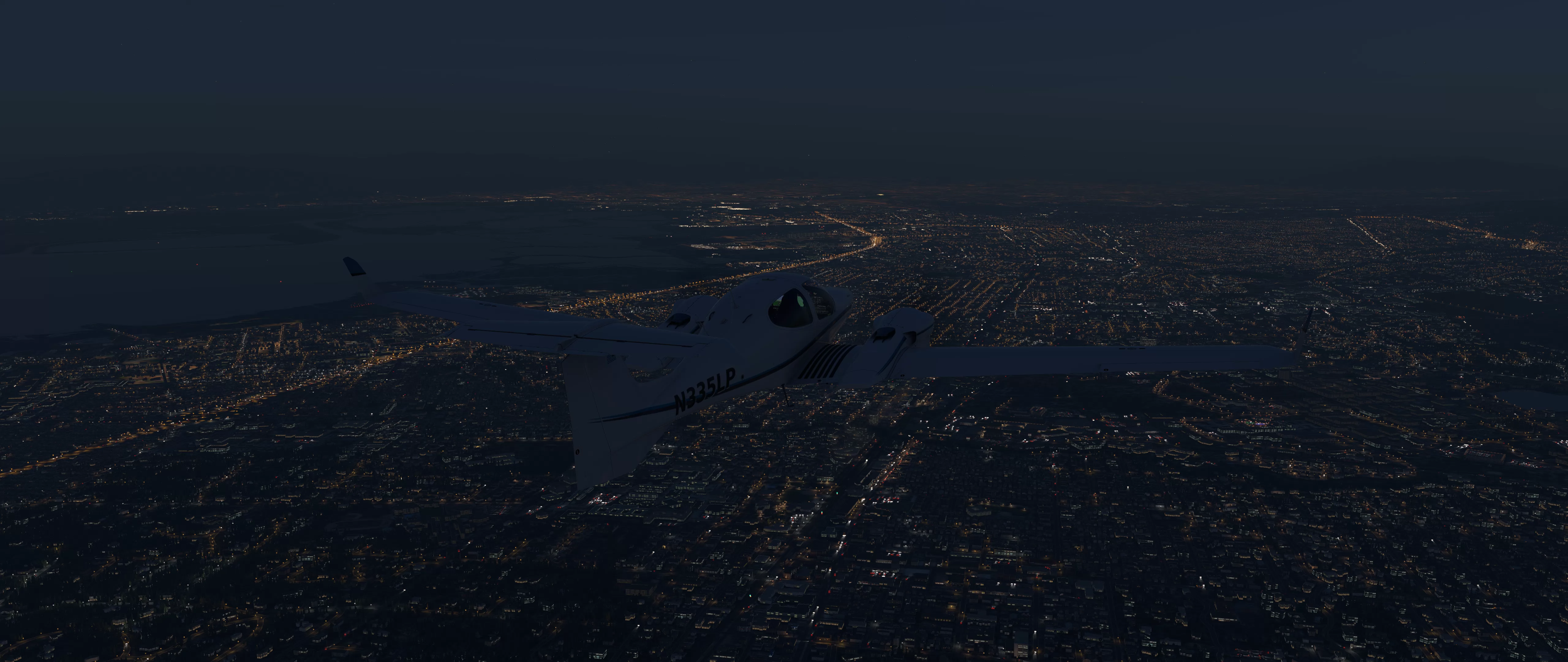
X-Plane 12 lights its terrain at night through the terrain type. Ortho scenery replaces those terrain types with its own, so wherever autogen lights did not reach, a city at night was a black hole with roads in it. Anyone flying on ortho has simply had to accept that.
XEarthLayer now lights it. Every lit texture for the urban environment is built on your machine, as X-Plane asks for each tile. The night textures are constructed just-in-time from three sources:
- A recipe in each scenery package, which records the Laminar urban and industrial terrain covering each part of a tile, and how bright the ground is at night.
- NASA’s Black Marble nighttime lights, measured from orbit by the VIIRS instrument on NOAA-20, so that a bright downtown and a quiet suburb differ as they do in the real world. This data is encoded into the tile recipe.
- XEarthLayer uses X-Plane 12’s existing night time artwork and remixes it locally on your computer to construct the night scene.
The street pattern does not visibly repeat, and neighbouring textures agree at their edges. Some neighbourhoods are lit with white LED street lighting rather than sodium orange, more often downtown and in industrial areas, at a share and colour temperature set by region. Close to the aircraft the lit layer fades out, handing over to X-Plane’s own 3D lights.
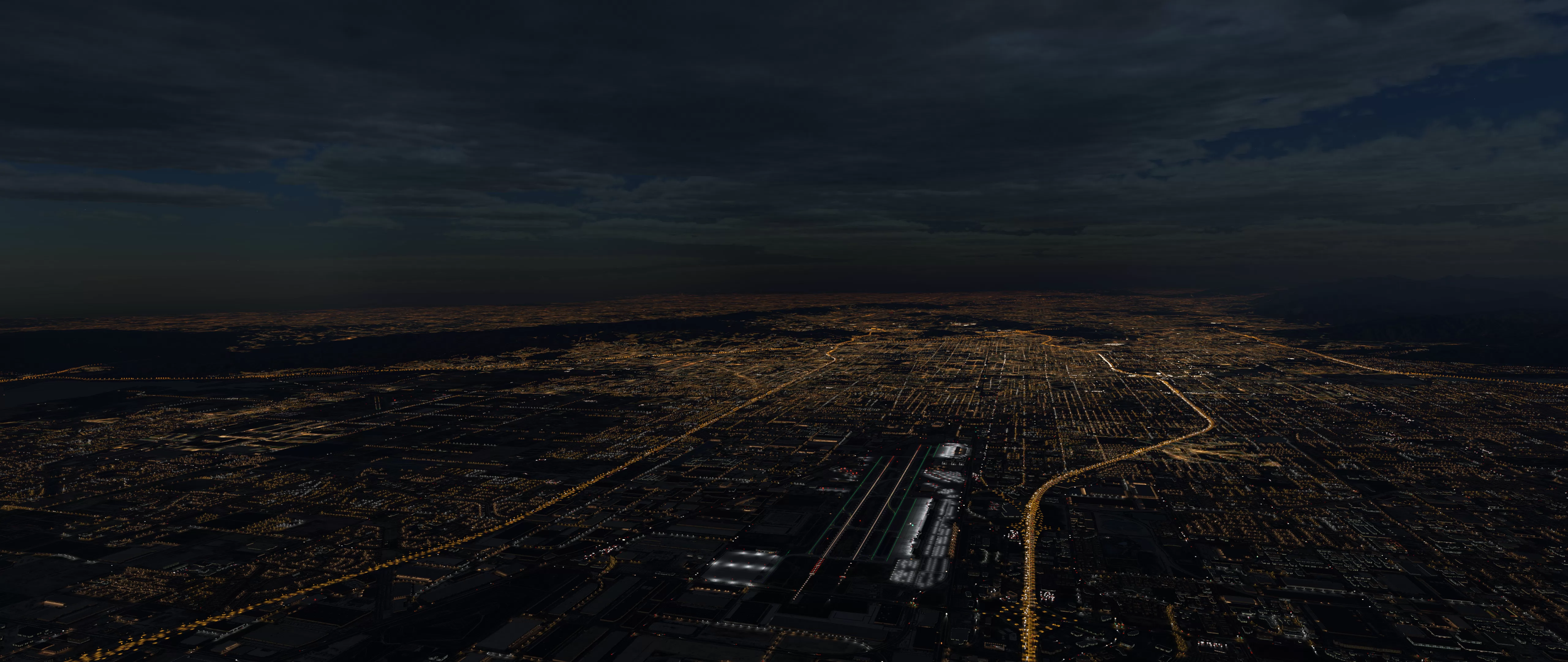
Night lighting is on by default and needs one of the new XEarthLayer scenery packages built for v0.5.0. The night lighting guide has the full details.
A rebuilt world
Night lighting needed new scenery, so we rebuilt all of it. The library is now seventeen regions, each built from scratch with night recipes, in place of the eleven continental packages of earlier releases. It comes to about 161 GB if you install the whole planet, and you only need the regions you fly.
Airports are now built at ZL17 within a 1 km radius. Package archives are also about 32% smaller, because DSF files are now compressed the same way Laminar compresses its own scenery. Antarctica is not in the library yet.
Browse the regions and their sizes in the package guide.
XEarthLayer on the Mac
XEarthLayer now runs natively on Apple Silicon. This was made possible by the very generous work of Duane Licudi, who led the port. Our thanks to Duane.
Every build is signed and notarized by Apple and you can install it from an installer package, from Homebrew or from a tarball. XEarthLayer on the Mac needs macOS 12 or later and macFUSE 5.x, including its one-time approval. There is no Intel Mac build.
The macOS guide walks through each step.
SimHeaven X-World Pro
If you fly with X-World Pro, XEarthLayer now works alongside it. Turn on packages.xworld_pro and XEarthLayer detects which continents X-World Pro covers and leaves out its own overlays there, while keeping them everywhere else.
XEarthLayer also checks the order of your scenery_packs.ini on every start and tells you when something is wrong. This system only advises and never edits your configuration or anything else inside X-Plane.
See the X-World Pro guide.
A new TUI package manager
Installing scenery no longer means remembering a list of commands. xearthlayer packages now opens a full-screen package manager, with tabs for what you have installed, the library, the progress of your downloads and installs, and your package settings.
Downloads no longer wait for installs, so a batch takes about as long as its downloads. Region codes can be shortened, so xearthlayer packages install na eu installs every package beneath those codes. Ctrl+C cancels cleanly, and a package being replaced keeps its old version.
X-Plane on demand scenery requests have the fast lane
Much of the work in this release is invisible by design. XEarthLayer’s core has been reworked around one rule: whatever X-Plane is waiting for right now matters more than anything we are preparing for later.
- Prefetch has its own lane, with its own workers and download connections, so a backlog of prefetch work can no longer sit in front of a tile X-Plane is waiting for. While X-Plane waits on a tile, prefetch starts nothing new.
- Downloads waste less. A timed-out tile stops downloading at once and gives back its capacity, which used to leak away over a session. A tile that does not exist is no longer retried.
- Startup is faster. The dashboard no longer waits while every installed package is sized, and with the whole world installed the scenery index now rebuilds in about 17 seconds rather than over four minutes.
The dashboard has improved as well. A new Status pane shows X-Plane’s frame rate and what is actually running this session: the texture encoder, night lighting and X-World Pro.
Upgrading
Install 0.5.0 first, because earlier releases keep reading the old library and cannot install the new regions. Your first command copies config.ini to your platform’s standard location and may ask you to confirm. Nothing else is moved, and the old file stays in place so 0.4.x still works if you go back to it.
See where XEarthLayer keeps its files.
Then remove every old package before you install anything new:
xearthlayer config upgrade
xearthlayer packages remove --all
xearthlayer packages remove --all --type overlay
xearthlayer packages
The last command opens the package manager, where you can choose your regions on the Library tab. The package guide shows which new regions replace each old package.
Publishing scenery has also moved: xearthlayer publish is now its own program, xearthlayer-publish, with its own package.
What comes next
Maintenance work continues in 0.5.1. Development of 0.6.0 is now under way, focused on Windows 11 support, plugin support and an XEarthLayer service daemon. We have no date to share yet.
The CHANGELOG has the full list of what changed in this release, and bug reports are welcome on GitHub.
Credits
Night lighting is generated from NASA’s VIIRS nighttime lights:
NASA VIIRS Land Science Investigator-led Processing System. (2025). VIIRS/JPSS1 Lunar BRDF-Adjusted Nighttime Lights Yearly L3 Global 15 arc second Linear Lat Lon Grid Dataset. NASA Level 1 and Atmosphere Archive and Distribution System Distributed Active Archive Center. Date Accessed: 2026-10-16