Night Lighting
Cities on ortho scenery light up after dark, built on your machine from your own X-Plane and NASA's night lights.
Ortho scenery in X-Plane has always gone dark at night. X-Plane lights its terrain through the terrain type, and ortho scenery replaces those terrain types with its own, so wherever autogen lights did not reach, a city at night was a black hole with roads in it. XEarthLayer 0.5.0 lights it.
What you see
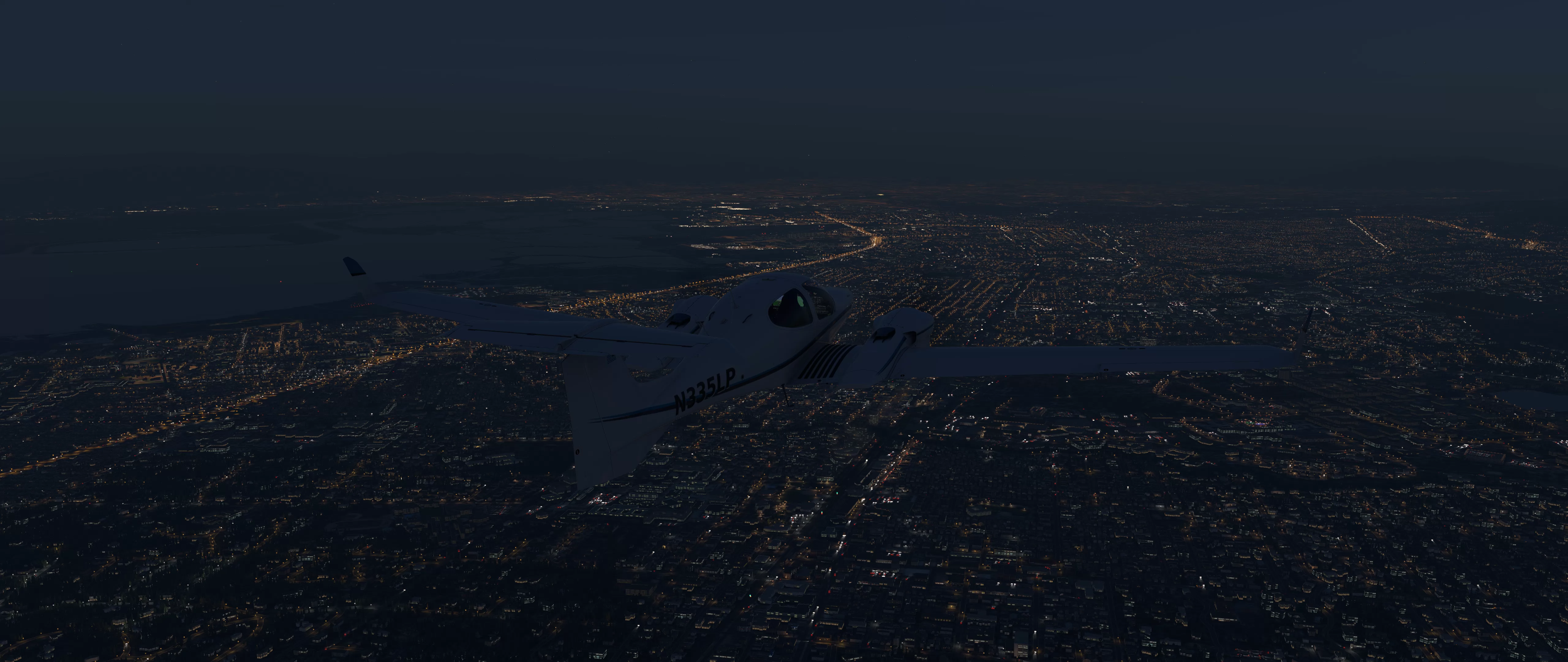
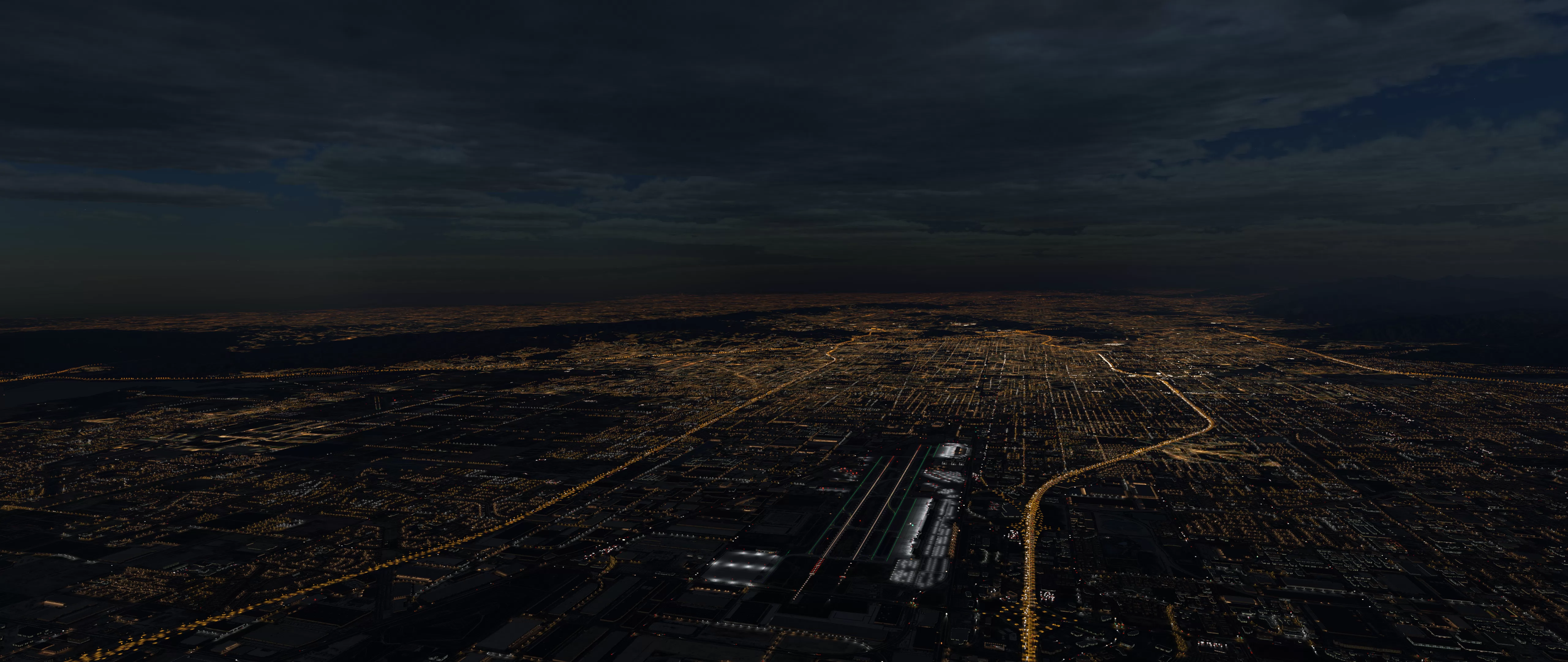
Urban ground glows where your X-Plane art and NASA’s night lights agree a city is, with soft edges between neighbourhoods and a street pattern that does not visibly repeat. Some neighbourhoods are lit with white LED street lighting rather than sodium orange, more often downtown and in industrial areas than in suburbs, at a share and colour temperature set by the region: warmer in Europe, Asia and Oceania, cooler in the Americas and Africa. Brightness follows the real world, so a large city is brighter than a small one and open country stays dark.
Close to the aircraft the lit layer fades out in two steps and switches off, because that is where X-Plane’s own 3D lights take over. The handover happens at the same distance at every texture quality setting.
Where the light comes from
Night lighting is built from three sources, and only one of them is in the package.
- The package carries a recipe, one per tile, in its
night/folder: which Laminar urban and industrial terrain covers each part of the tile, and how bright the ground is at night. The recipes are produced by OXO when the world is built. - Your X-Plane installation supplies the art. The lit textures Laminar ships for its own terrain cannot be redistributed, so no package carries them. XEarthLayer reads them from the X-Plane installation behind your Custom Scenery path.
- NASA’s Black Marble supplies the brightness: the VIIRS annual night lights, at 15 arc-second resolution, from the instrument on NOAA-20.
When X-Plane asks for a lit texture, XEarthLayer bakes it on your machine from those three, and serves it through the same mount as the ortho textures, on a separate path that never queues behind a download.
What it needs
- A 0.5.0 scenery package. The old continental packages carry no recipes. Packages without them are unaffected: their terrain names no lit texture, so X-Plane never asks for one.
- An X-Plane installation behind your Custom Scenery folder. If XEarthLayer cannot find it, lit textures stay dark whatever the setting says, and the dashboard’s Status pane says so.
- X-Plane’s texture quality setting is read once at startup, so a change to it takes effect on the next start.
Performance Cost
| Resource | Cost |
|---|---|
| CPU | About 150 ms per lit texture, on its own small set of permits apart from the ortho pipeline |
| Memory | 256 MB for generated textures |
| Disk | 5% of cache.disk_size, reserved whenever night lighting is enabled, whether or not any installed package carries recipes |
| Video memory | About 2.8 MB uploaded per ZL16 lit texture, whatever the quality setting |
Every disk entry carries a fingerprint of what it was built from: the generator version, your brightness setting, your Laminar art and the recipe files. An X-Plane update, a package update or a brightness change regenerates the affected textures on their own. You never need to clear the cache for it.
Settings
[night]
enabled = true
brightness = 1.0| Setting | Default | Description |
|---|---|---|
enabled | true | Serve generated lit textures. false serves a 152-byte black texture instead and reserves no disk cache |
brightness | 1.0 | Scales the light, 0.5 to 1.5 |
Night lighting is on by default. Turn it off if you would rather have the disk back, or if you prefer dark ortho.
Checking it is working
The dashboard’s Status pane has a line for night lighting. It reads enabled or disabled, or warns that the X-Plane installation could not be found and dark textures are being served. If the line is green and your cities are still dark, you are either very close to the ground (the layer fades out near the aircraft on purpose) or flying an old package.
Attribution
NASA VIIRS Land Science Investigator-led Processing System. (2025). VIIRS/JPSS1 Lunar BRDF-Adjusted Nighttime Lights Yearly L3 Global 15 arc second Linear Lat Lon Grid Dataset. NASA Level 1 and Atmosphere Archive and Distribution System Distributed Active Archive Center. Date Accessed: 2026-10-16